Lesson 4 of 5 · 6 min
Reviewing calls
Every call to your leasing number, filed under the caller, with a summary, transcript and recording.
When phone answering is on, the assistant answers calls to your leasing number, says it is an AI and that the call may be recorded, answers questions and books tours. Each call is filed under whoever called: a new caller becomes a guest card, and residents, vendors and owners land on their own records.
Work the Needs follow-up list
- Open Leasing › Calls.
- Filter to Needs follow-up. These are calls where the caller needs a person, and they stay here until someone marks them dealt with.
- Open a call. Read the Summary and What they wanted.
- Check What the assistant did: for example Checked tour times, Updated the guest card, Got permission to text, Recorded an opt-out or Passed to the office.
- Call back, add a Staff note with what you did, and mark it dealt with.
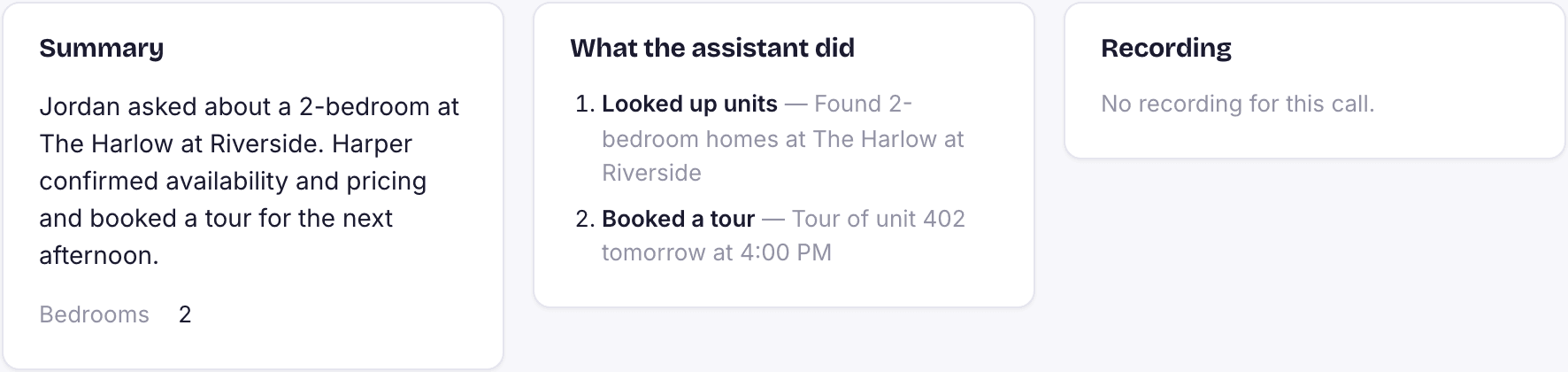
You can also filter by Prospects, Residents, Vendors, Owners and Unknown. The summary arrives a minute or two after the call ends.
Loading the rest of this lesson…